Puppet
Puppet
Purpose
Puppet is an orchestration1 software to allow you to easily control multiple computers at the same time. This is fantastic for a corporate environment where you have many servers that all need to have the same configuration for the most part. You will have computers for individual tasks and therefore have different programs installed, however there are many settings that will stay the same, such as sign in and security settings. Microsoft Active Directory can behave similarly, however it only works on Windows. Puppet, meanwhile, works on all common operating systems, including Linux, MacOS, and Windows amongst others. In most companies, most of the servers will be running linux, as linux is much lighter weight than Windows and makes better use of their resources. Also, linux is easier to secure, with many options on how to make your software more secure. Also, there are far fewer viruses for linux than for Windows, decreasing the likelihood that the computers will be infected by a virus.
How it works
When you setup Puppet, you have two types of servers. For most setups unless you have a lot of machines on your network, you have one puppetmaster, then the rest of your computers are clients. If you have a lot of machines, you may have more than one puppetmaster, although this is rare. The puppetmaster has a folder on it full of configuration files. By default, this folder lives at /etc/puppetlabs/code. Each of these files contains information on what configurations you want set. You can also have one file refer to other files. This enables you to have some configs be run on all your computers (like ssh access configuration or users), while some configurations will only be run on one machine, such as installing a database on your database server. Each of these config files is called a “class”
How to edit files
One of the best ways to edit the puppet files is by having them live in a git repo. Git is a Version Control System. This allows you to revert to old versions in case you break something while trying to get a configuration working. Also, puppet has a subtool called R10K that will greatly simplify deploying the configs to the server.
The files are relatively simple, being heavily based on files for the programming language ruby. A simple file that installs Docker2 and configures its logs to be sent to a central location looks like this:
#
class profile::hosting::docker::host {
  # resources
  class { 'docker':
    version => '5:20.10.14~3-0~debian-bullseye',
  }
  class { 'metricbeat':
    modules       => [
      {
        'name'       => 'docker',
        'metricsets' => [
          'container',
          'diskio',
          'event',
          'healthcheck',
          'info',
          'memory',
          'network',
        ],
        'period'     => '2m',
        hosts        => [
          'unix://var/run/docker.sock',
        ]
      },
    ],
    outputs       => [
      {
        'logstash' => {
          'hosts' => [
            'logs.example.com:5006',
          ],
        }
      }
    ],
    major_version => '7',
  }
}
The metricbeat and docker classes are added by plugins, which anyone can create and share online. Plugins allow you to combine a bunch of commonly used commands together (such as the installation of a program). This makes puppet often easier to setup software with than it would be to manually install.
Companion software
There are also many programs decided to extend puppet and make it easier to manage. One popular option is Foreman. Foreman is a program that automates the setup of servers. When fully configured, Foreman can create a Virtual Machine3, install the operating system on it, then install Puppet once the operating system has been installed. This greatly reduces both the chances of error while setting up servers, as well as allowing you to setup servers much faster.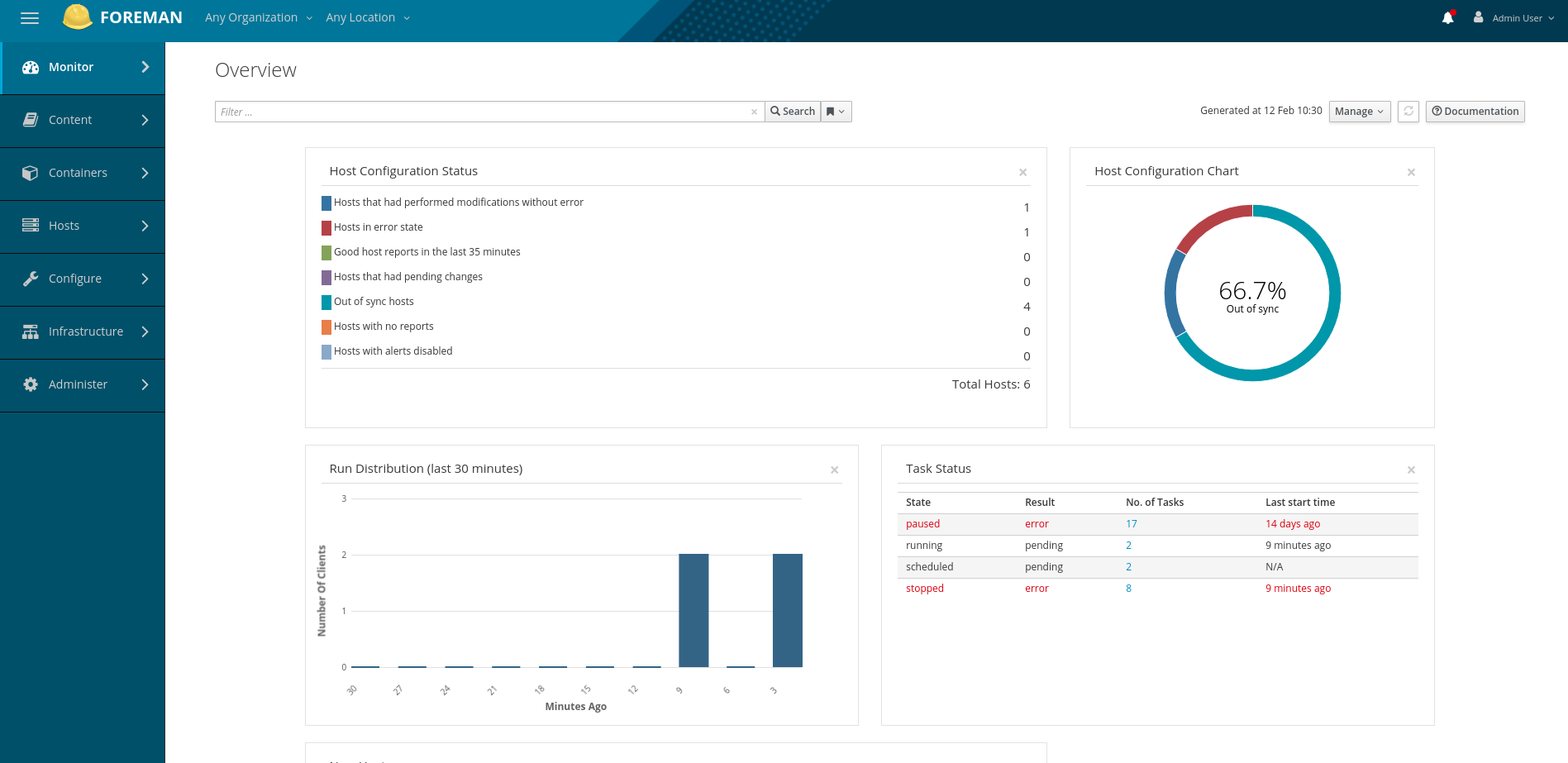 Foreman also allows you to specify which puppet classes each computer uses easily. With a typical puppet setup, you can only specify one class per computer. You can refer to other classes from inside a class though, so you make a class for the computer, then reference other classes through this class. However, with foreman you can set default classes or even default classes per host group. One great use for this would be for a development and production environment. You would want different configurations for the development environment as it needs to be far more locked down than the production environment.
Another common type of companion is something called a key vault. A key vault is a program that stores passwords in an encrypted database. Puppet will pull these passwords from the key vault, and inject them into memory. By doing this, the passwords are not stored on the computer hard drive, and even if someone gets there hands on the computer, they won’t get any passwords.
Orchestration: The process of managing multiple computers at the same time. This is different from automation, which is the process of managing a single computer. Automation is a subset of orchestration. ↩︎
Container: A virtual computer running inside of another computer, but is not a full computer. The container shares the same operating system as the computer it is running on. Docker is a program that allows you to easily create and manage containers. ↩︎
Virtual Machine: A virtual computer running inside of another computer in order to make better use of limited hardware resources. ↩︎